
Let Your Marketing
Keep Working When You Can't
Follow up, nurture leads, send reminders, and keep prospects moving forward—even when you're busy doing the work your clients actually pay you for.

Let's Get Started for Free
✔ Free forever
💳 No credit card required.
Your email address is safe with us.
We never share your information with anyone.
What Is Marketing Automation?
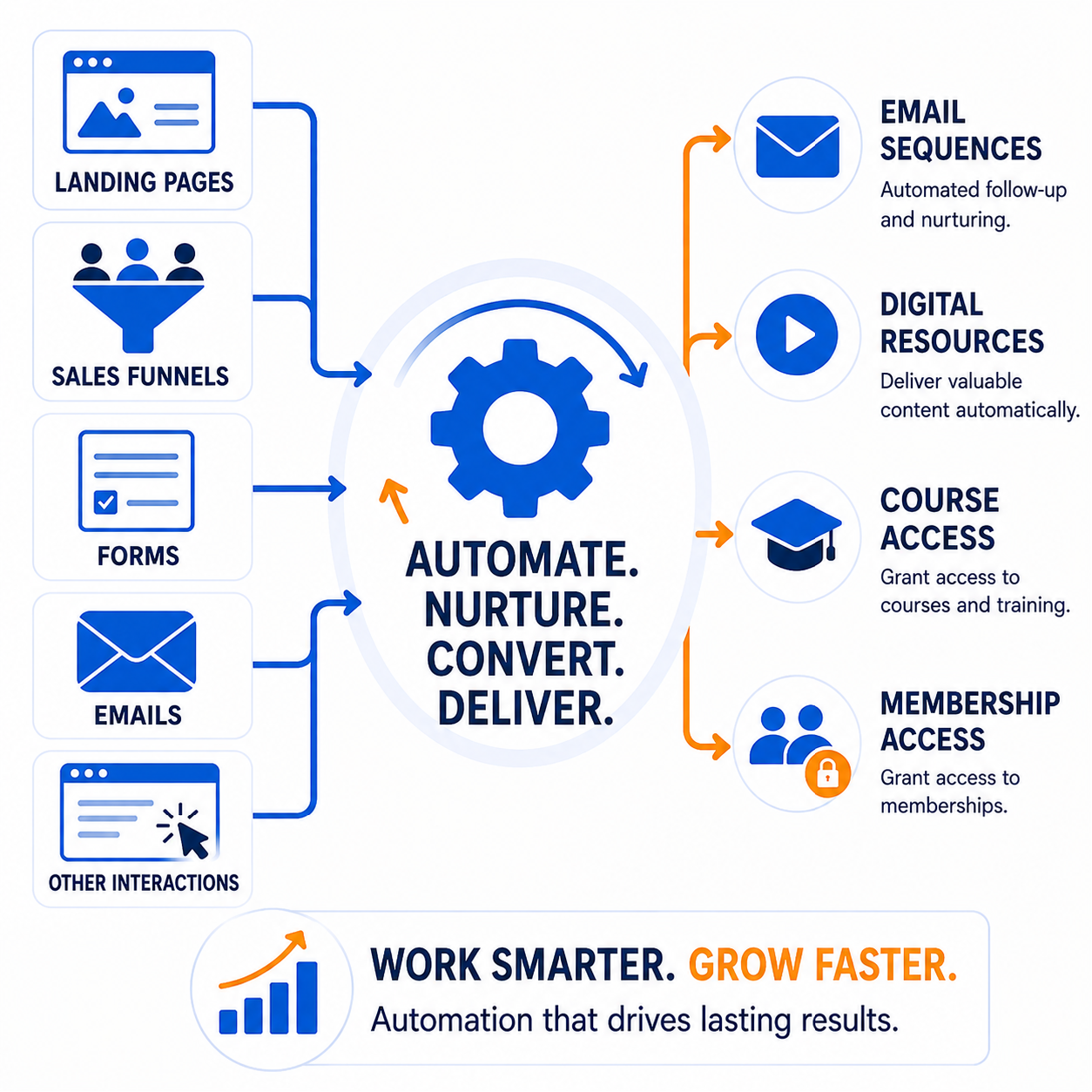
Marketing automation allows you to create smart rules and workflows that take action automatically based on what your leads and customers do. When someone fills out a form, joins your email list, makes a purchase, clicks a link, books an appointment, or reaches a specific point in their journey, your system can respond instantly.
Automatically send emails, apply tags, enroll customers in courses, trigger follow-up sequences, and guide contacts through the next step—all without having to manage every action manually. With an easy visual workflow builder, you can create powerful automations without writing a single line of code.
Powerful Marketing Automation,
All in One Place
Turn everyday marketing tasks into automated systems that help you capture leads, nurture prospects, and serve customers more efficiently.
Create Simple Rules That Work Automatically
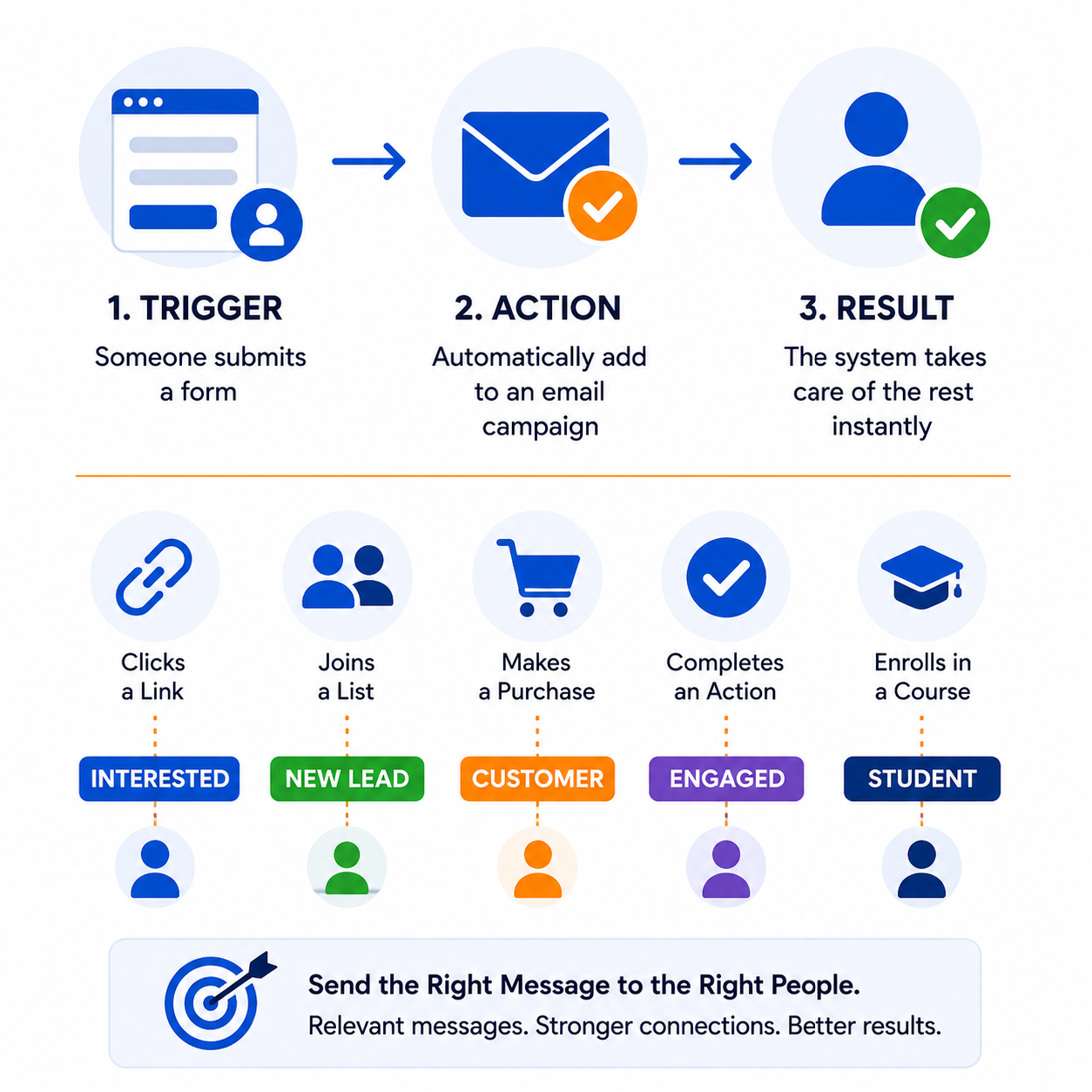
Connect a specific trigger to the action you want to happen next. For example, when someone submits a form, automatically add them to an email campaign. Once your rule is active, the system takes care of the rest instantly.
Automatically organize your contacts based on the actions they take and the interests they show. Apply tags when someone clicks a link, joins a list, makes a purchase, or completes another important action—helping you send more relevant messages to the right people.
Create a Smarter, More Personalized Client Journey
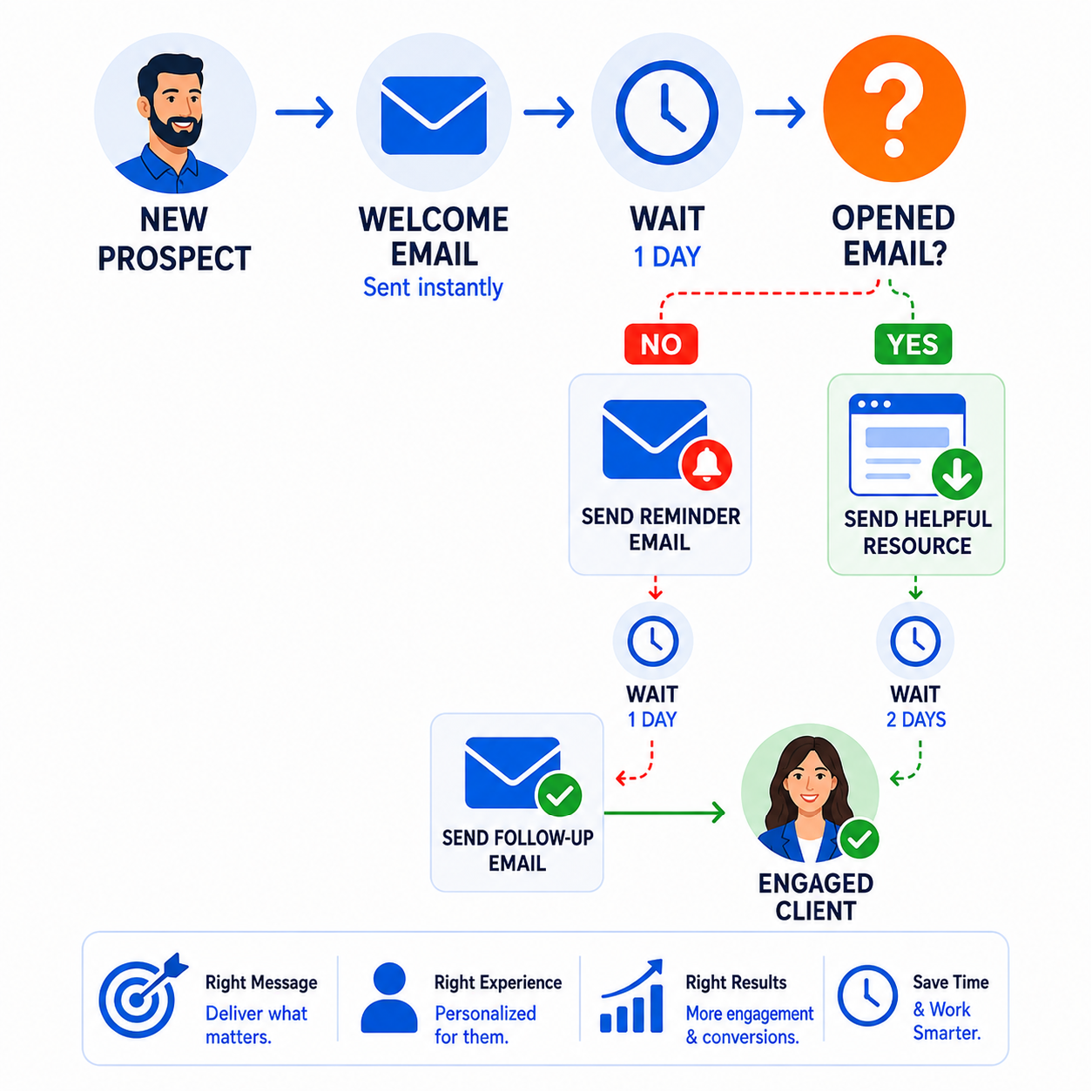
Design your entire marketing and sales process with an intuitive visual workflow builder. Combine automated actions, conditional decisions, and carefully timed delays to guide each prospect through a more personalized journey based on their individual behavior.
Build Visual Workflows Around How Your Customers Behave
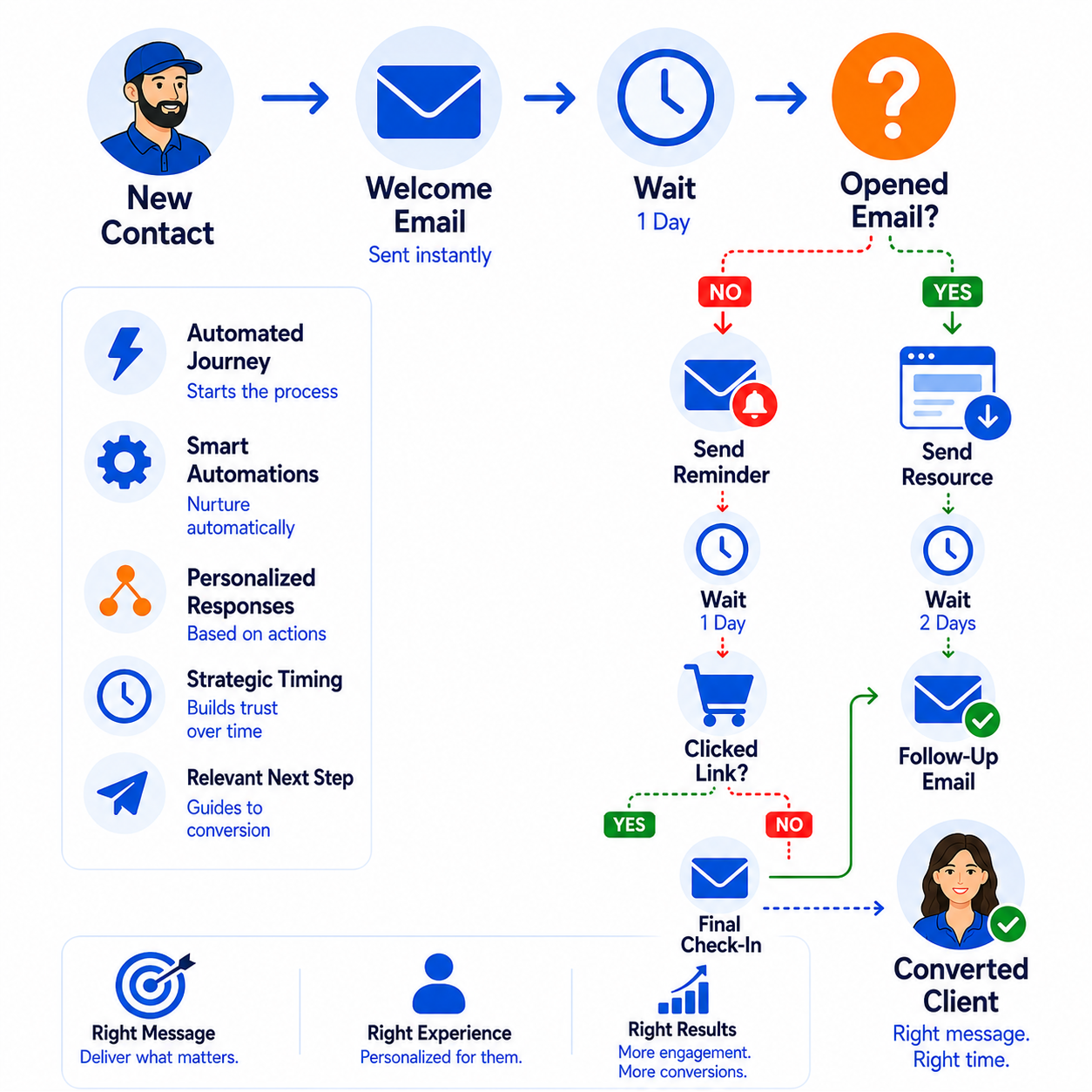
Create customized automation paths that respond to each contact's actions. Use triggers, automated steps, smart decision points, and strategic delays to send the right message, deliver the right experience, and guide each person toward the most relevant next step.
Let's Get Started for Free
✔ Free forever
💳 No credit card required.
Your email address is safe with us.
We never share your information with anyone.
Marketing automation allows your business to respond automatically when a customer or lead takes a specific action. For example, when someone fills out a form, books an appointment, joins your email list, or makes a purchase, the platform can instantly send emails, apply tags, deliver digital products, or move them to the next step in your sales funnel. Once your automations are set up, they work around the clock without requiring manual follow-up.
Getting started is simple. Open the Automation section of your dashboard, create a new workflow, and choose the event that will start it—such as a new form submission or email signup. Then add the actions you want the system to perform, like sending an email, assigning a tag, scheduling a delay, or enrolling someone in a course. Save and activate your workflow, and it will automatically run for every contact who meets your chosen criteria.
Yes. Instead of managing separate platforms for email marketing, sales funnels, CRM, automation, appointment scheduling, and digital products, Pre-Sold Client Systems combines these essential tools into one connected platform. Having everything together simplifies your workflow, reduces software costs, and eliminates the need to connect multiple services.
Not at all. The visual workflow builder is designed for business owners—not programmers. Create automations using an easy drag-and-drop interface, with no coding or technical knowledge required. Whether you're sending a welcome email or building a complete customer journey, you can create powerful automations in just a few minutes.
Absolutely. Because your email marketing, CRM, landing pages, and sales funnels all work together within one platform, you can automate your entire client journey. A single workflow can capture a lead, send a series of follow-up emails, assign tags, schedule appointments, grant access to digital products, and guide contacts through your sales funnel automatically.
Marketing automation can handle many of the repetitive tasks that consume your time, including:
Welcome emails
Lead nurturing campaigns
Appointment confirmations and reminders
Product and course delivery
Customer onboarding
Follow-up sequences
Contact tagging and segmentation
Internal notifications
Sales funnel progression
By automating these routine activities, you can provide a consistent customer experience while spending more time growing your business.
Marketing automation doesn't create leads by itself, but it helps you convert more of the leads you already have. By following up quickly, delivering the right message at the right time, and keeping prospects engaged, you can improve conversions and reduce missed opportunities.
Yes. You can organize contacts based on their interests, actions, purchases, or other behaviors. This allows you to send more relevant emails, deliver personalized offers, and create customized customer journeys that improve engagement and build stronger relationships.